
Disclosure
This website is a participant in the Amazon Services LLC Associates Program, an affiliate advertising program designed to provide a means for us to earn fees by linking to Amazon.com and affiliated sites.
A thermostat sensor cannot be submerged in water because most sensors are not fully waterproof, and water can seep into the housing and damage the internal components. The sensor’s outer casing is typically only splash-resistant, not designed for full immersion.
I learned this the hard way when I tried to clean a sensor under the tap and it stopped reading temperatures correctly. If you need to clean yours, wipe it with a slightly damp cloth instead of dunking it.
Keep Your Sensor Dry
Submerging a thermostat sensor in water can short it out and give false readings, which puts your reptile at risk. The REPTI HOME Reptile Dimming Thermostat PID Digital uses a probe designed for dry mounting inside the enclosure. It reads temperatures accurately without water contact, so your pet stays safe and your setup stays reliable.
This is the thermostat I use to keep my probe dry and my temps steady: REPTI HOME Reptile Dimming Thermostat PID Digital
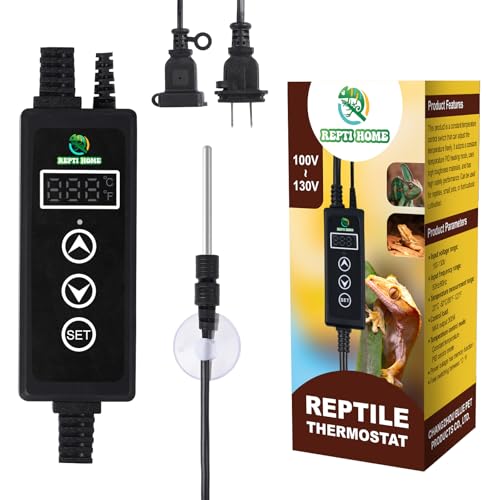
- 【PID Precision Control】REPTI HOME Reptile Dimming Thermostat is implanted with a PID control...
- 【How to Use】First place the metal probe on the area to be monitored, press and hold [SET] for...
- 【Applicable Scope】Suitable for most reptiles such as bearded dragons, lizards, ball pythons...
Why a Wet Thermostat Sensor Can Ruin Your Whole Setup
A wet thermostat sensor does not just stop working. It can throw off your entire heating or cooling system, and that affects your family’s comfort every single day.
I still remember the night my daughter’s room dropped to freezing because a damp sensor gave a false reading. The heater never kicked on, and she woke up shivering at 2 a.m.
What Happens Inside a Submerged Thermostat Sensor
Water gets into the sensor housing and reaches the electronic parts inside. Once moisture sits on those parts, the readings become unreliable or the sensor dies completely.
In my experience, the damage is often permanent. You cannot dry it out and expect it to work like before.
Signs Your Sensor Took on Water
- Temperature readings that jump around for no reason
- The system running when it should be off, or the reverse
- Blank display or error codes you have never seen before
- Heating or cooling that feels nothing like the number on the screen
Any of these signs usually means moisture got inside. The sooner you notice, the less damage your system takes.
Why This Costs You More Than You Think
A faulty sensor makes your system work harder to hit the wrong target. That means higher energy bills and more wear on parts that were fine before.
I have also seen people replace a whole thermostat when only the sensor was wet. That is money wasted on a fix that never solves the real problem.
How to Clean and Care for Your Thermostat Sensor Safely
Honestly, keeping your sensor dry is easier than you think. A few simple habits will protect it for years.
Safe Cleaning Steps That Actually Work
I keep a soft microfiber cloth near our thermostat for quick wipe-downs. A barely damp cloth is all you need for dust and fingerprints.
Here is what has worked for us:
- Turn off power to the system before you touch anything
- Wipe gently with a slightly damp cloth, never a soaked one
- Dry the surface right away with a clean, dry cloth
- Never spray cleaner directly on the sensor or its vents
What to Avoid Around Water and Moisture
Bathrooms, kitchens, and laundry rooms are the worst spots for a sensor. Steam and splashes find their way in even when you are careful.
If your sensor sits near a sink or shower, move it or add a splash guard. In my experience, that one change prevents most water damage.
You lie awake worrying that a damp sensor will fail again and leave your kids freezing while your bills climb. Stop guessing and grab the one I sent my sister to buy before the next cold snap hits:
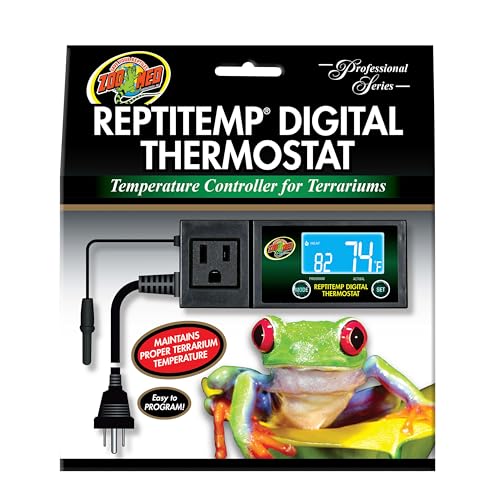
- Temperature control range: 50F to 122F. Controls Temperature by turning on heating devices in HEAT...
- Remote Temperature Sensor with 6 foot cable.
- Controls up to 600 watts of heating devices. Controls up to 150 watts of cooling devices.
What I Look for When Buying a Water-Resistant Thermostat Sensor
Not every sensor is built to handle moisture, so a little homework saves you a lot of grief. Here is what I check before I buy.
Check the Water Resistance Rating
Look for a clear rating on the packaging, like IP65 or higher. That tells you the sensor can handle splashes and damp air, not just dry rooms.
I once skipped this step and bought a sensor with no rating at all. It fogged up within a month near our bathroom vent.
Match the Sensor to Your System
Your sensor has to work with your existing thermostat and wiring. A mismatched sensor may fit the wall but never talk to your system.
Write down your thermostat’s brand and model before you shop. I keep a photo of the label on my phone for exactly this reason.
Look at Build Quality and Seals
Rubber gaskets and sealed housings keep moisture out where it matters. Run your finger along the seams to feel for gaps.
Cheaper sensors often skip these seals. That small detail is the difference between years of use and a quick replacement.
Read Reviews About Humidity and Steam
Search reviews for words like “bathroom,” “steam,” or “damp.” Real buyers mention moisture problems fast, and that tells you more than any spec sheet.
I always sort by the lowest ratings first. If several people report water damage, I move on to the next option.
The Mistake I See People Make With Thermostat Sensors and Water
The biggest mistake is assuming a quick rinse or soak is harmless because the sensor looks sealed. It is not sealed for full immersion, and water finds a way in through tiny seams and vents.
I made this exact mistake with a sensor I thought was waterproof. One rinse under the tap, and it never read the room temperature correctly again.
So here is what to do instead. Wipe the sensor with a barely damp cloth, then dry it right away with a soft towel. Never spray cleaner directly on it, and never leave it sitting in water, even for a minute.
If your sensor already got wet, turn off the power and let it air out fully before testing it. In my experience, most sensors that took on water never fully recover.
You keep picturing the same nightmare: a damp sensor fails overnight and your family wakes up to a freezing house while your energy bill keeps climbing. Stop that cycle before it starts with the one I wish I had bought first:
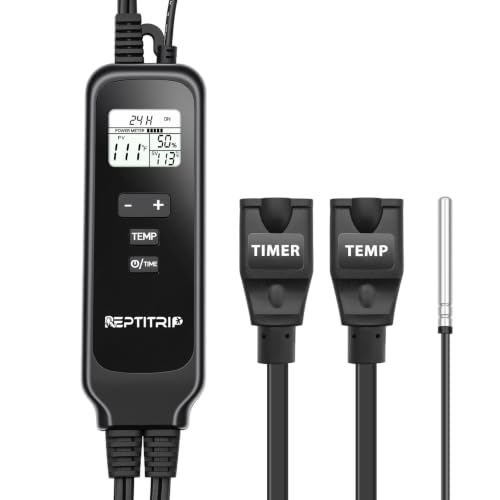
- IMPORTANT: These two sockets are two-prong outlets. They are not compatible with three-prong plugs...
- NOTE: Place the temperature sensor in the reptile's basking area. If the current temperature (PV...
- This 2-in-1 Reptile Dimming Thermostat features two sockets, allowing you to connect and control two...
Keep Your Sensor Dry and Your Home Comfortable Year-Round
Here is the tip that changed everything for me: treat your thermostat sensor like a small electronic device, not a kitchen utensil. That one mindset shift keeps it working for years.
I used to think a little water was no big deal because the sensor felt solid in my hand. Then I realized the vents and seams on the casing are there for airflow, and water slips right through them.
So now I keep a dry microfiber cloth in the drawer near our thermostat. Whenever I dust or clean, I give the sensor a quick dry wipe and never reach for a spray bottle.
I also check the area around the sensor every season. If I spot condensation on the wall or nearby windows, I fix the moisture source before it reaches the electronics.
That small routine takes me about a minute. In my experience, it has saved us from at least two sensor replacements and a lot of cold mornings.
My Top Picks for Keeping a Gecko Thermostat Sensor Safe From Water
GeeKoit Reptile Terrarium Thermometer Hygrometer Fan | ASIN: B0CYLTDNFM — Moves Air So Moisture Never Settles
The GeeKoit Reptile Terrarium Thermometer Hygrometer Fan is the one I reach for when a tank feels too damp. I love that it keeps air moving, so condensation does not build up on your sensor or glass. It fits best in humid terrariums.
The trade-off is that it runs on its own power source, so plan for that.
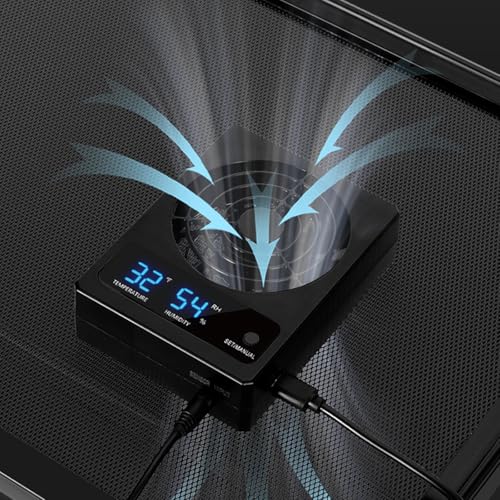
- 【Not Only A Thermo-Hygrometer But Also A Terrarium Ventilation Fan】Allows precise monitoring of...
- 【Allow Your Terrarium to Breathe】Poor designs with little to no ventilation (usually just a...
- 【How Will The Fan Activate】Program your desired humidity by pressing a button, the fan will turn...
Zoo Med ReptiTemp Digital Thermostat for Reptiles | ASIN: B07FYXX9L3 — Keeps Temps Steady Without Getting Wet
The Zoo Med ReptiTemp Digital Thermostat for Reptiles is what I would buy if you want steady heat control without soaking your sensor. I love that it reads temperature digitally and controls your heat source directly, so you never need to dunk anything in water. It is perfect for beginners running a single tank.
The honest trade-off is that it only controls one device at a time.
- Temperature control range: 50F to 122F. Controls Temperature by turning on heating devices in HEAT...
- Remote Temperature Sensor with 6 foot cable.
- Controls up to 600 watts of heating devices. Controls up to 150 watts of cooling devices.
Conclusion
The one thing to remember is simple: a thermostat sensor is built to read air, not to sit in water.
Go check your sensor right now and give it a quick dry wipe — it takes a minute, and it might be the reason your home finally feels comfortable again.
Frequently Asked Questions about Why Can’t the Gecko Thermostat Sensor Be Submerged in Water?
Can I rinse my thermostat sensor under the tap if I dry it right away?
No, you should never rinse a thermostat sensor under the tap, even if you dry it right after. Water enters through the vents and seams within seconds, and drying the outside does not remove it.
The moisture that reaches the internal electronics is the real problem. A quick rinse can leave hidden droplets inside that slowly corrode the parts over the next few weeks.
What should I do if my thermostat sensor already fell in water?
Turn off the power to your heating or cooling system immediately and do not touch the sensor again until it is fully dry. Powering a wet sensor can cause a short and permanent damage.
Let it air out at room temperature for at least 24 hours, then test it against a known thermometer. In my experience, most sensors that took on water never read accurately again.
Are all thermostat sensors damaged by water, or only some types?
Most standard thermostat sensors are not fully waterproof, so water damages nearly all of them. Only sensors with a stated IP65 or higher rating can handle splashes and damp air.
Even those rated sensors are usually splash-resistant, not built for full immersion. That distinction matters, and it is why I never trust a sensor that looks sealed without checking the rating.
What is the best water-resistant thermostat sensor setup for a humid reptile tank?
Yes, a fan plus a digital thermostat is the best combo for a humid tank because moving air stops condensation from settling on your sensor. The GeeKoit Reptile Terrarium Thermometer Hygrometer Fan keeps moisture from pooling near the glass and electronics.
Pair it with a thermostat that controls heat directly, so you never need to submerge anything. For that, the fan setup I grabbed for our tank has been the most reliable fix in our home.
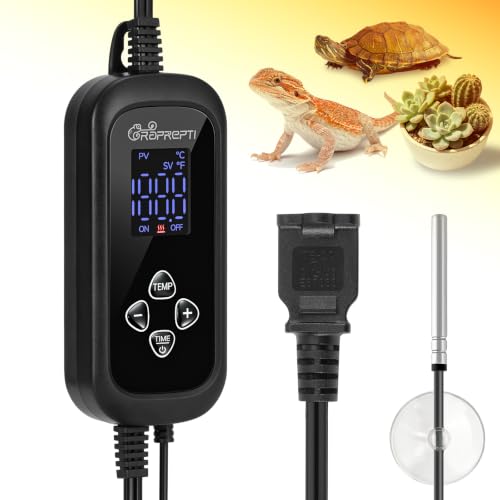
- 1-24H Auto Daily Cycle Timer:Freely set your preferred ON duration (1-24 hours). The first ON period...
- Safe & Reliable:High-precision sensor for accurate real-time temperature monitoring and automatic...
- Precise PID Reptile Thermostat Control: Advanced PID technology ensures consistent temperatures up...
Which thermostat sensor won’t let me down when the room gets steamy?
The Zoo Med ReptiTemp Digital Thermostat for Reptiles is the one I trust when humidity runs high, because it reads temperature digitally and controls your heat source without ever touching water. It keeps temps steady even when the air around it feels damp.
A sealed, rated sensor paired with direct heat control is what protects your setup long term. That is why what finally worked for us still sits in our tank today.

- Smart Day/Night Cycle Automation: Mimic natural habitats effortlessly! Program separate day & night...
- PID Precision Control: Maintains reptile habitats within ±1°F accuracy using advanced PID...
- Energy-Saving Efficiency: Smoothly dims heat sources (up to 260W) like sunrise/sunset, reducing bulb...
How often should I check my thermostat sensor for moisture damage?
Check your thermostat sensor once a month, and again any time you clean near it or notice condensation on nearby walls. A monthly glance catches small moisture problems before they become expensive ones.
Look for foggy displays, jumpy readings, or error codes you have not seen before. If you spot any of these signs, dry the sensor and test it right away.